
Hi 👋
Your indicator is now active
Get started with TCX Indicator Pro
6 short steps: install, read signals, split your position and manage risk. Each takes 2–3 minutes. Start from step 1.
Start with step 1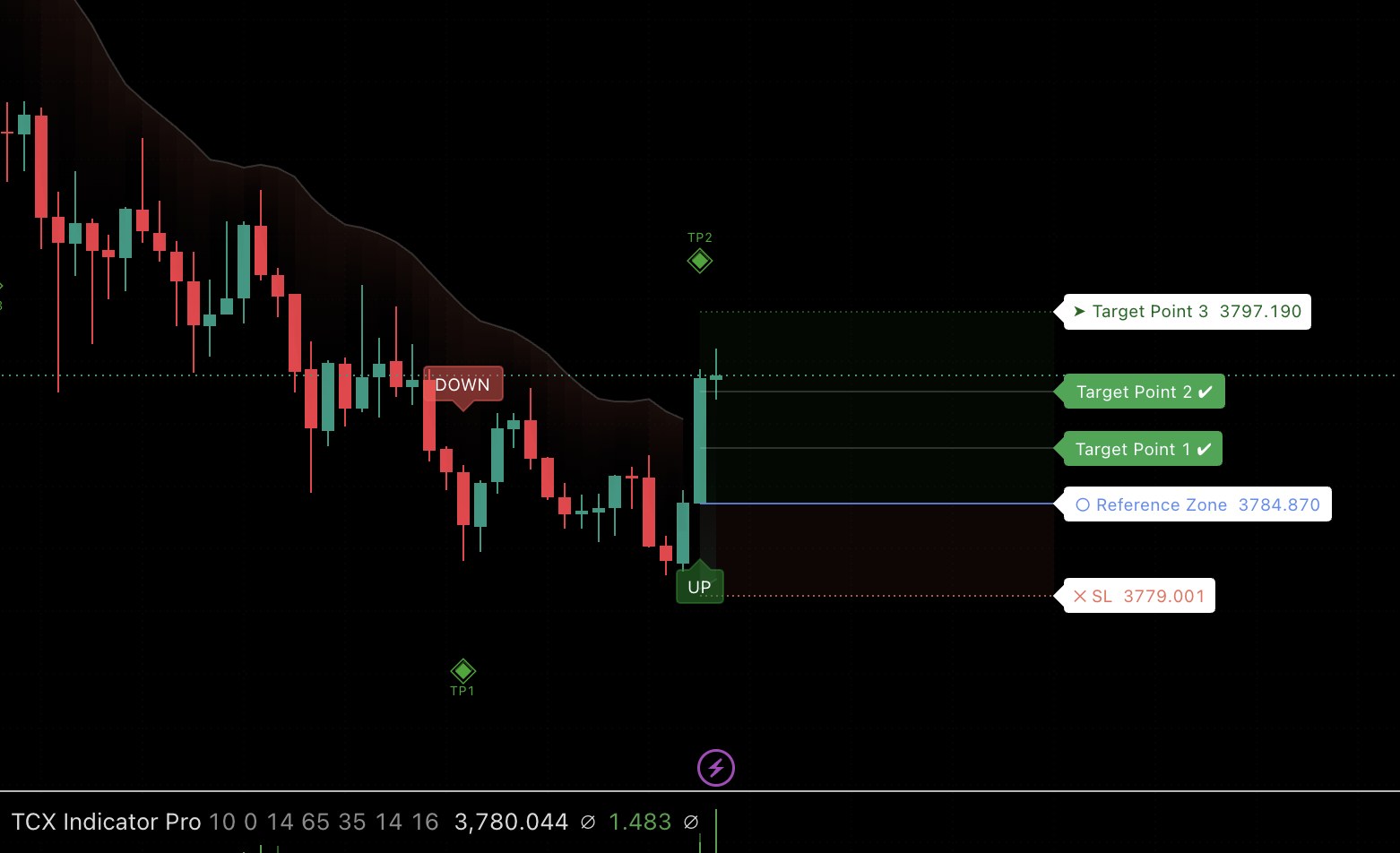
Install TCX Indicator Pro
Do it once and it works on both desktop and mobile.
- Log in to TradingView with the exact username you entered in the sign-up form.
- Open any chart, for example XAUUSD, then click Indicators in the top toolbar.
- Open the Invite-only scripts tab.
- Click TCX Indicator Pro. It appears on your chart right away.
- Add it to Favorites ⭐ so it is one click away next time.
Read UP/DOWN signals
Every signal gives you three things: where to enter, where to take profit and where to stop out.
The 50 · 30 · 20 split
TP1: Close 50%, move SL to Entry
TP2: Close another 30%
TP3: Close the last 20% or let it run
After TP1 your SL sits at breakeven, so if price turns, the rest of the position doesn't go negative.
Trend cloud & optimal entries
The trend line is the coloured cloud that follows price: a green cloud below price means uptrend, a red cloud above price means downtrend.
- Price above the cloud: uptrend, favour UP signals.
- Price below the cloud: downtrend, favour DOWN signals.
- Re-entry: while the trend holds, a pullback close to the cloud is an area to look for another entry in the same direction.
- Be careful: with signals against the cloud, trade smaller or stay out.
The 3 panels & filtering fake signals
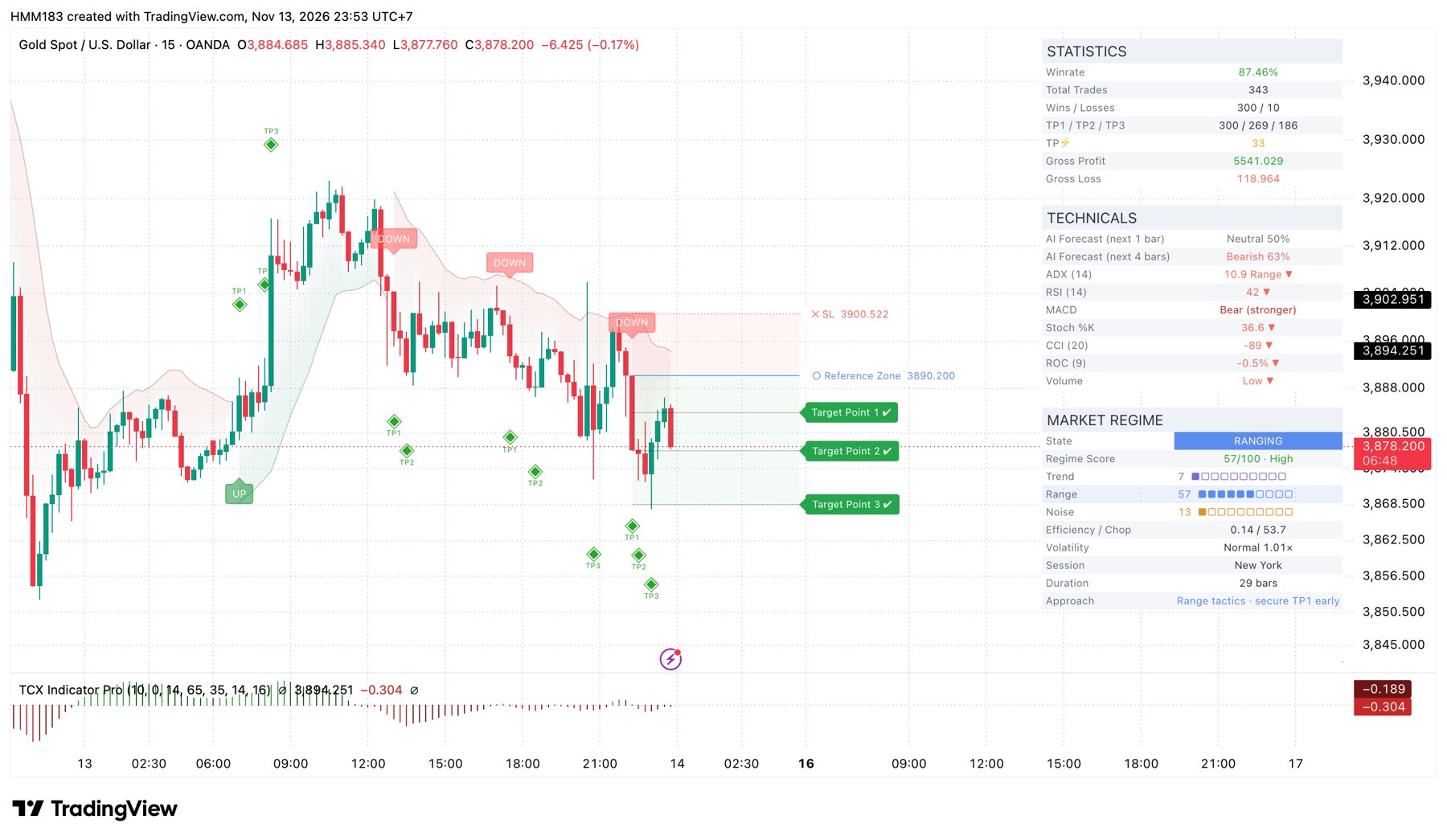
There are 3 panels on the right of the chart. Pick a panel, then tap any row to see what it means.
Risk management & mindset
The indicator finds the entry. Money management and the right mindset are what keep your account alive.
🧮 Gold (XAUUSD) position size calculator
Enter your balance and the distance from Entry to SL, and the page works out the right lot size.
💡 Small balance? Trade on a Cent account
On a Cent account, 1 USD = 100 cents. The same 0.02 lot only wins or loses 1/100 of what it would on a standard account, so your account is far harder to wipe out while you still follow every signal.
Message a TCX admin for help opening a Cent account with your broker.
Gold maths: 1 lot = 100 oz, so a $1 move ≈ $100 per lot. Brokers can differ slightly, so double-check with yours.
See the indicator in action
The TCX team walks through signals on real charts, so you can see everything above applied.
Quick check: are you ready?
4 questions, under a minute. Pick an answer and you'll see right away if it's correct, with an explanation.
Frequently asked questions
Type a keyword to search.
Troubleshooting
Pick the problem you're seeing and follow the steps.
Want daily setups and market updates?
Join the TCX English channel on Telegram for gold, forex and crypto analysis using TCX Indicator Pro.